
Search for a song or video:
Videos/Songs ▽
Playlists/Albums ▽
What is Yougra about?
Yougra is a web app that allows you to download videos, audio, songs, playlists, albums, and more. Simply search for what you want above and click the media you want to download as either video or audio. Once you select a video, you will be able to choose from different video quality options before downloading.
Help
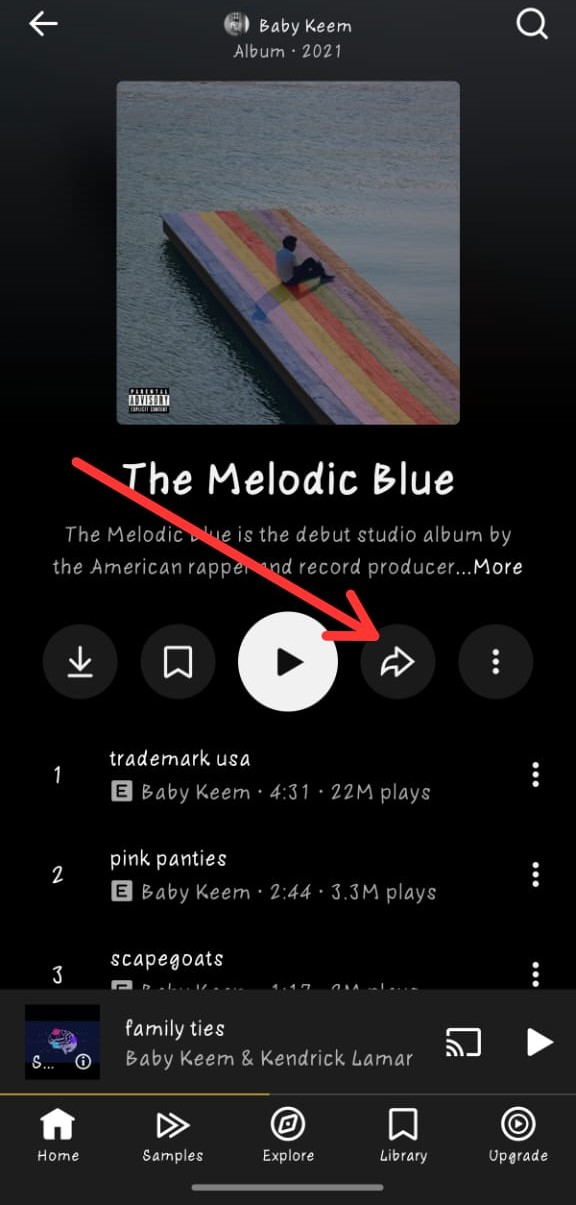
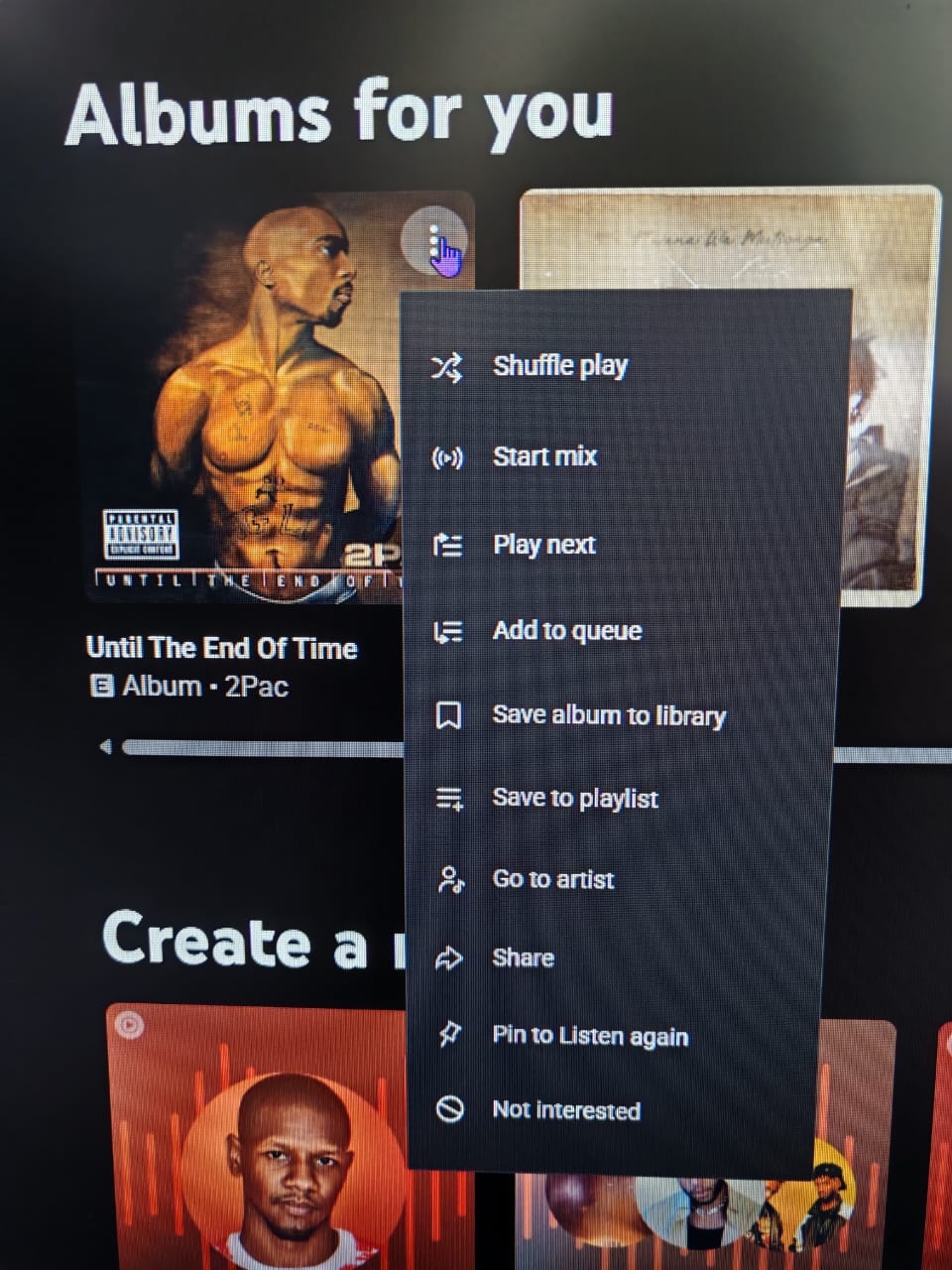
In addition to searching, you can paste the exact YouTube video or song link in the "Use link" section located above the search bar on the right. In this section, you can also paste YouTube playlist or album links. Playlists are currently downloadable as audio only. If you're unsure how to get a playlist link, you can find instructions in the Settings menu at the top right (the gear icon).
Pro tip: Add "album" next to album name when searching, to easily find actual albums instead of playlists pretending to be albums.
Speaking of Settings, you will also find download methods there for videos. There are two methods: Immediate and Process. By default, the Process method is selected, but you can switch between them at any time. The differences between these methods are explained in the Settings menu.
Enter a YouTube video/song link:
Download it as...
Enter a YouTube playlist link:
You can click each song to download or just: